








Registering at Wakuna Casino
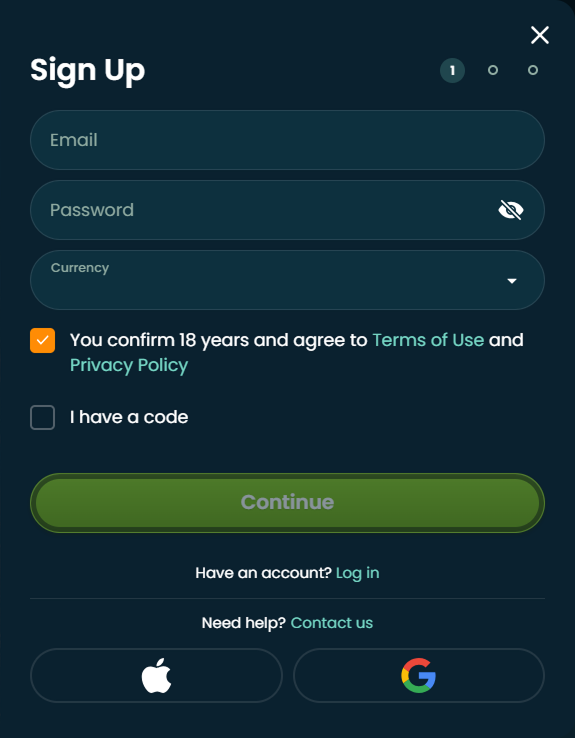
To create a casino account, you will need a valid email address and a strong password. The registration form may also include fields for your country of residence and account currency. Google and Apple are listed as alternative sign-in options. Availability may vary depending on your device and region.
Before registering, check the age and regional requirements. Use your own personal information and choose your account currency carefully, as you may not be able to change it after your first deposit.
Step-by-Step Account Setup
- Open the Wakuna Casino website in your browser.
- Select the registration option.
- Enter your email address and create a unique password.
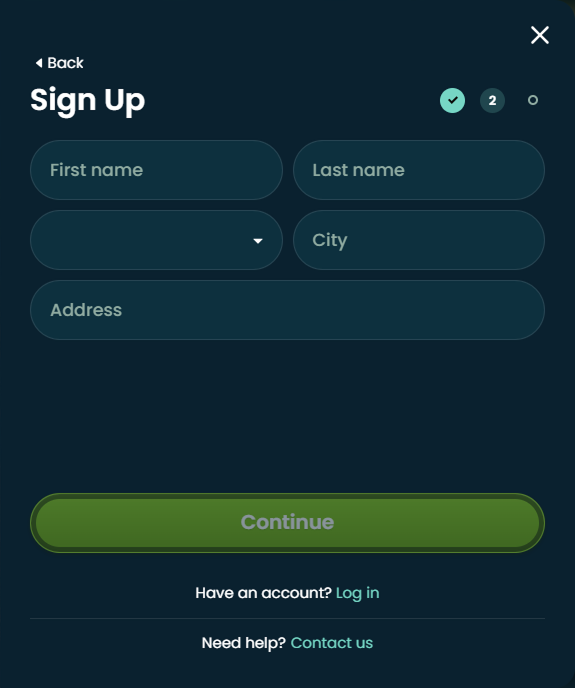
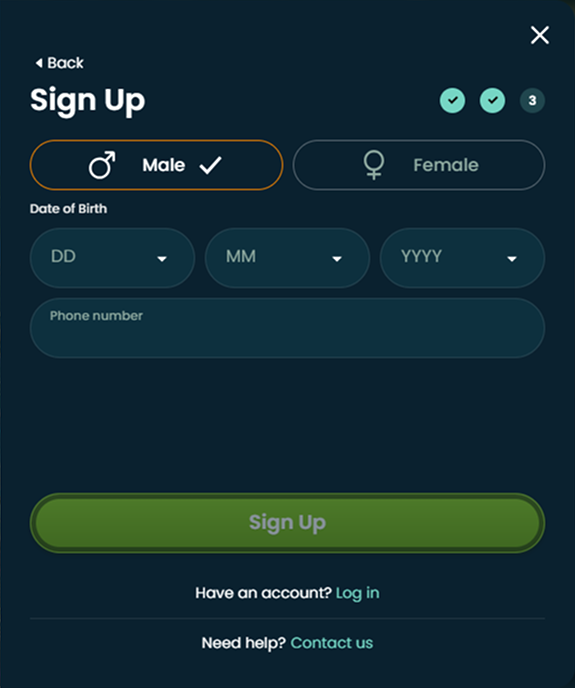
- Complete any additional fields that appear.
- Choose your account currency and confirm that you agree to the terms.
- If you receive an activation link by email, open it to complete registration.
- For subsequent sign-ins, use your email and password or an available Google/Apple option.
Do not create duplicate accounts or enter another person’s details. If the form asks for information that does not match your documents, contact support before adding funds.
Signing In and Recovering Access
Use the credentials supplied during registration. If you forget your password, use the recovery option on the sign-in page and check both your inbox and spam folder.
If the message does not arrive, contact support from your registered email address. You may need to provide your email, the date of your enquiry and a brief description of the problem so they can locate your account. Never share your password or one-time codes; these are not needed for verification.
Identity Verification Before Withdrawal
The operator may request KYC documents before releasing funds. Identity and residential address are usually checked, and ownership of the payment method may also be verified in some cases.
| Category | Possible document | What to check |
|---|---|---|
| Proof of identity | Passport or ID card | Details must be clear and current |
| Proof of address | Utility bill or bank statement | Name and address must match the profile |
| Payment method | Card or wallet confirmation | Do not disclose CVV or full payment details |
Confirm the exact document list, file formats and processing times in your account. Upload documents only through a secure form or an official support channel.
Preparing Your Documents
- Take a photo without glare or shadows.
- Make sure the document is not cropped and all corners are visible.
- Check that your name and address match your profile.
- When uploading a bank card, conceal the CVV and sensitive digits.
- Keep confirmation that the documents were submitted.
If the operator requests additional materials, follow the individual instructions. Do not send documents through third-party messaging apps unless official support has confirmed that channel.
Account Security
- Create a unique password that you do not use on other websites.
- Do not share your sign-in details with relatives or friends.
- Check the website address before signing in.
- If you notice suspicious activity, change your password and notify support.
- Do not save your password on someone else’s device, and sign out when finished.
Responsible Gambling
The service is intended for adults only. If you need to restrict access or take a break, ask support which tools are available for your account and region. BeGambleAware is listed as an external source of help.
Before Your First Withdrawal
To reduce the risk of delays, make sure your contact details are current, the payment method belongs to the account holder and the necessary documents are available. If KYC is still pending, submit the documents in advance and wait for confirmation before requesting a withdrawal.